Logging into Admin
The login page
Open admin.magicmassage.com.au — any modern browser, desktop or phone. Sign in with your email + password (created for you by your implementation contact or tenant admin).
Remember me on this device keeps you signed in across browser restarts.
Never tick Remember me on the shared POS computer. It stores your admin credentials on that device — anyone at the counter could open Admin as you.
MFA — if your platform operator requires it
Depending on your platform's security policy, sign-in may ask for a second factor:
- Authenticator code (TOTP) — six digits from Google Authenticator / Authy. Set up once from the MFA card on your Profile page.
- Passkey — Touch ID / Face ID / Windows Hello. Fastest option; no codes to type.
If policy requires MFA and you haven't set it up, sign-in routes you into enrolment first — after the grace period, enrolment is the only thing you can do until it's done.
Your dashboard
The dashboard adapts to your role:
| Role | You see |
|---|---|
| Super admin | Platform-wide view across tenants and stores |
| Tenant admin | Every store you own — today's revenue & visits, weekly trend, plan status |
| Regional manager | The same, aggregated across your store group, with a per-store performance table |
| Store manager | The same view, limited to the stores bound to your account |
The POS "manager" is a separate employment role, not an Admin login. If your store's onboarding isn't finished, a Getting started setup checklist appears at the top of the dashboard until every step is done, and a staffing panel sits alongside the KPI cards.
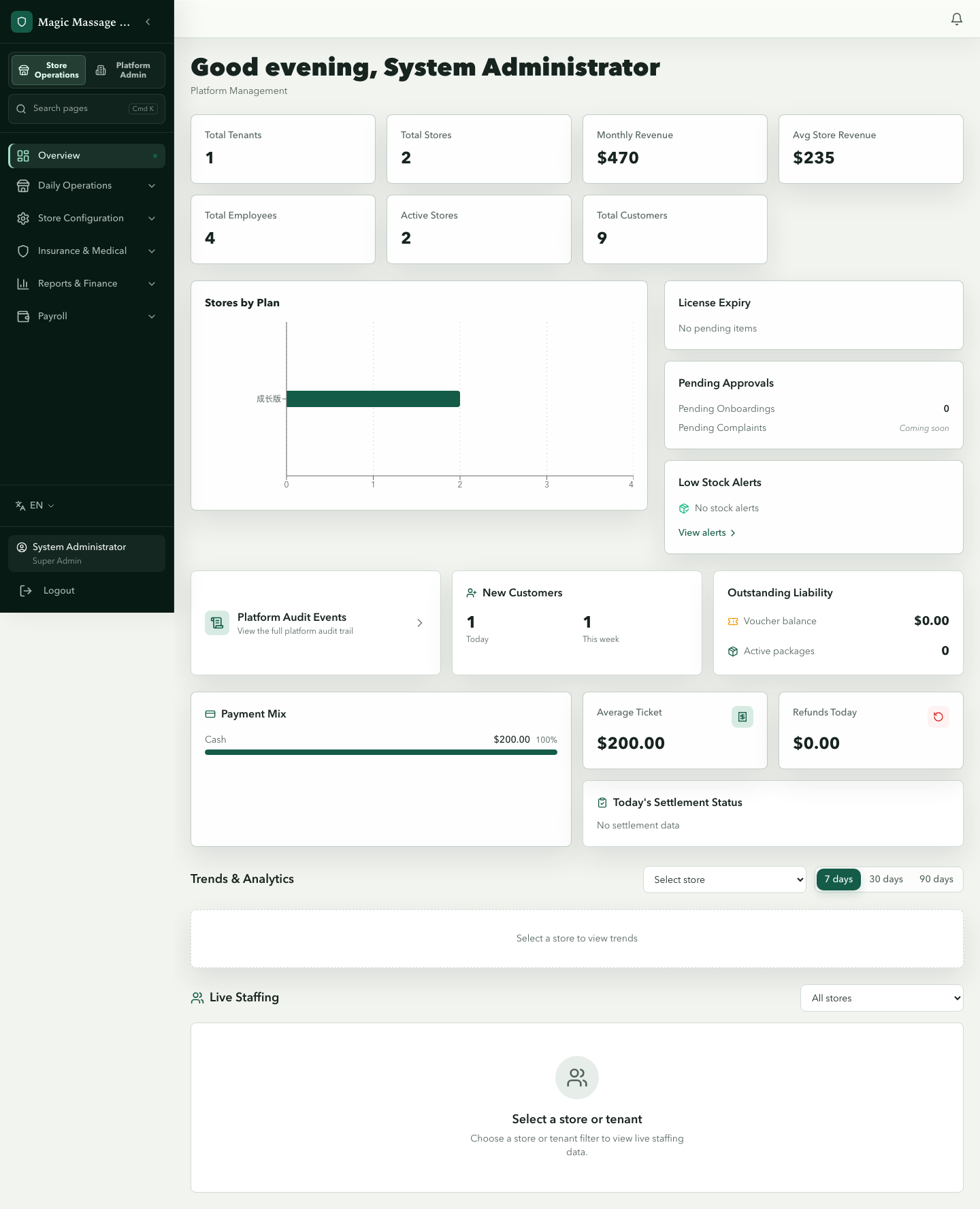
Three things worth checking every morning: was the previous Business Period finally settled?, the Approval Center in the sidebar (Settlement reopens / variances — the dashboard itself has no approvals widget), and the revenue trend.
Switching stores
Multi-store admins get a store filter in the sidebar and on every list page — pick one store or all. The dashboard, lists and reports all follow the filter.
Language
The sidebar's language switcher covers English / 中文 / ไทย. Your choice sticks to the browser.