Vouchers, coupons & packages (if enabled for your store)
Create and manage prepaid value (vouchers), discounts (coupons) and session bundles (packages). POS redeems them; Admin configures and tracks them.
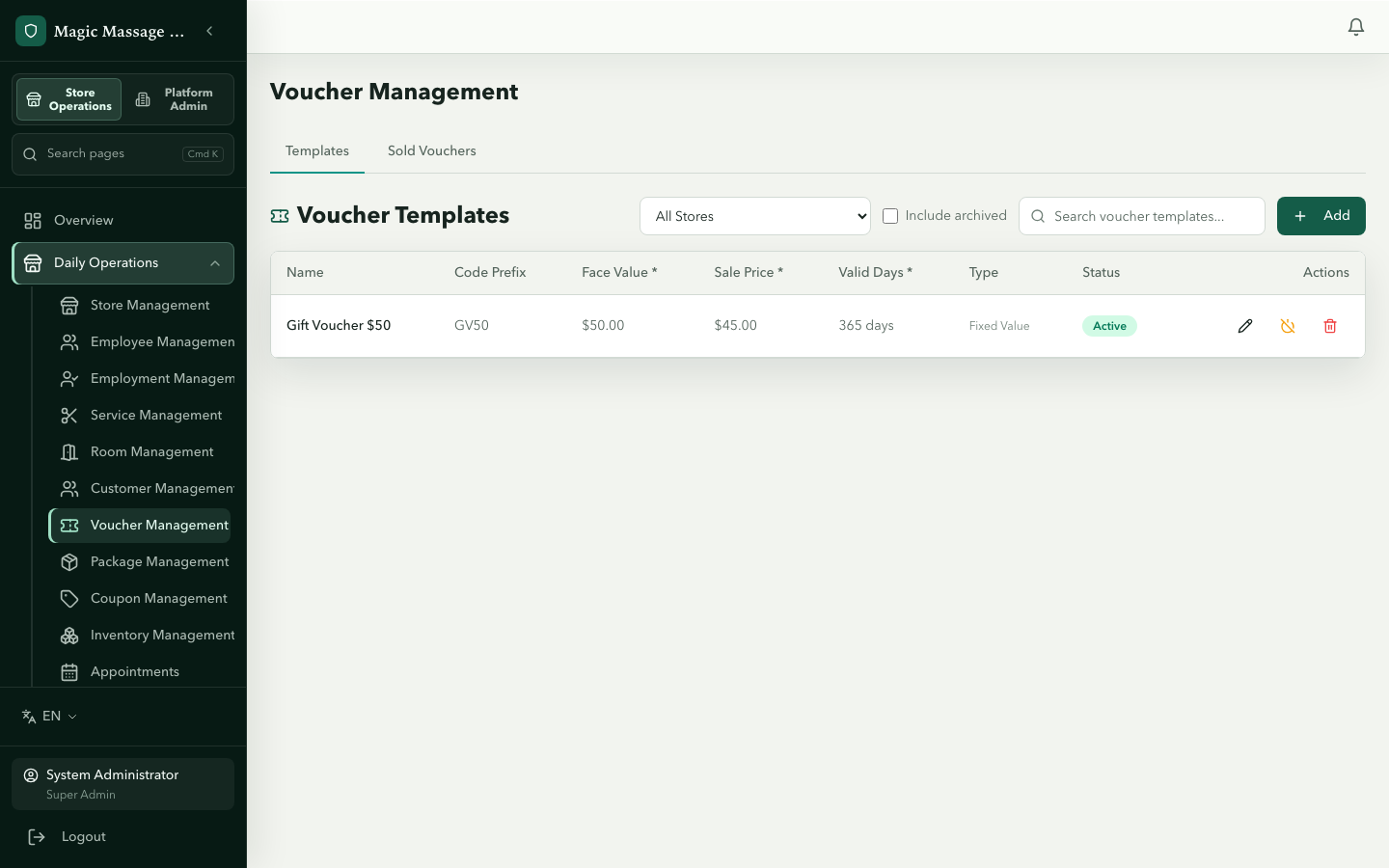
The three asset types
| Asset | What it is | Sold at | Redeemed at |
|---|---|---|---|
| Voucher | Prepaid dollar value (e.g. $100 gift card) | POS counter or online | Checkout (payment method) |
| Coupon | Discount (free service, %, fixed $ or buy-X-get-Y); optionally named to a holder | Admin (issued in batches) | Checkout (payment method) |
| Package | Prepaid session bundle (e.g. 5× Deep Tissue) | POS counter, Admin or online | Service line (not checkout) |
All three follow the template → instance pattern: you design a template (rules), then sell/issue instances from it.
Voucher templates
Admin → Voucher Management → Templates tab
| Field | Purpose |
|---|---|
| Name | Displayed during sale and on the voucher itself |
| Code prefix | First characters of generated codes (e.g. GV-) |
| Face value | The amount the holder can spend |
| Variable value | When on, the buyer names the amount at sale instead of a fixed face value |
| Sale price | What the buyer pays (can differ from face value for promotions) |
| Validity | Value + unit (days / months / years) counted from the sale |
| Valid from / Valid to | Optional fixed window in which the voucher can be redeemed |
| Min purchase | Minimum visit total required to redeem |
| Applicable service categories | Restrict redemption to certain service categories (empty = all) |
| Allow partial use | On by default — the holder can spend the balance across several visits until it runs out; off means one visit consumes it |
Voucher instances
Instances are created when a voucher is sold at POS (Selling vouchers) or online. Each instance has a unique code, remaining balance and expiry date, and is listed on the Sold Vouchers tab, from which it can be gifted by email (Gift delivery).
Coupon templates
Admin → Coupon Management → Templates tab
| Field | Purpose |
|---|---|
| Name | Displayed to the customer and at POS |
| Discount type | free_service, percentage_discount, fixed_discount or buy_x_get_y |
| Discount value | The % or $ off (or the free / bonus service) |
| Max discount amount | Cap on the $ value of a percentage discount |
| Valid days | Days from issue to expiry |
| Min purchase | Minimum visit total to qualify |
| Applicable services | Which services the coupon works on (empty = all) |
| Usage mode / Max total uses / Total quantity | How many times a code may be redeemed and how many codes the template may issue in total |
| Commission base | Whether therapist commission is calculated after_discount (default) or on the pre-discount price — this changes therapist pay |
| Excluded payment types | Payment methods the coupon cannot be combined with |
| Named coupon | When on, the holder must be identified at redemption — only the assigned customer can use it |
Issuing coupons
Coupons are issued from Admin as a batch of up to 100 codes from a template, with an optional expiry in days. Codes are not tied to a customer at issue; mark the template Named if the holder must be identified. Issued codes are listed on the Issued Coupons tab and entered at POS checkout.
Package templates
Admin → Package Management → Templates tab
| Field | Purpose |
|---|---|
| Name | e.g. "5× Deep Tissue 60min" |
| Code | Required package code (e.g. PKG-001) |
| Items | JSON list of services included (service ID + quantity) |
| Sale price | What the buyer pays for the bundle |
| Valid days | Days from purchase to expiry |
| Transferable | Whether the holder may pass the package to someone else |
| Online sale | Enables selling online; requires the package to be non-transferable and an online policy code + version to be set |
Package instances
Sold at POS, from Admin or online, and listed on the Sold Packages tab. Each instance tracks remaining sessions per service type. Redemption happens on the service line (not at the payment step) — see Payments → Packages.
Online sales and commerce operations
Vouchers and packages can also be sold online. An online order moves payment_pending → paid → fulfilled; monitor it on Admin → Commerce operations (commerce.operations.read), which can retry fulfilment or the customer notification when a step fails.
Expiry
All three asset types have automatic expiry:
- A nightly Celery task (
expire_assets), run at midnight platform time, marks instances past their expiry date asexpired. - Expired assets cannot be redeemed.
- Expiry is visible on the instance detail and in reports.
Cross-store redemption (Twin)
If your stores are in a joint-operation Twin:
- Vouchers sold at Store A can be redeemed at Store B.
- Twin stores share a value pool (
settlement_mode = shared_pool, no settlement rate), so a cross-store redemption generates no inter-store settlement line. - This is automatic when Twin is active; no extra configuration needed.
Tips
- Variable-value vouchers: useful for custom gift amounts. The buyer names their price at POS.
- Coupon targeting: mark a template Named when the code must only be used by the customer it's handed to; unnamed codes can be redeemed by anyone holding them.
- Package commission: therapists earn commission on the service's menu price, not on the package's discounted price. This ensures fair compensation regardless of how the customer paid.